
Start in the Claude app
The Claude Desktop app is Claude you use right on your desktop, without a browser. Build and deploy apps just by chatting in the Claude Desktop app.
Install the Claude Desktop app
If you don't have the Claude Desktop app yet, download the installer for your OS (macOS · Windows) from claude.ai/download and install it.
Open the app, sign in with your Claude account, and you're ready.
Open the Customize page
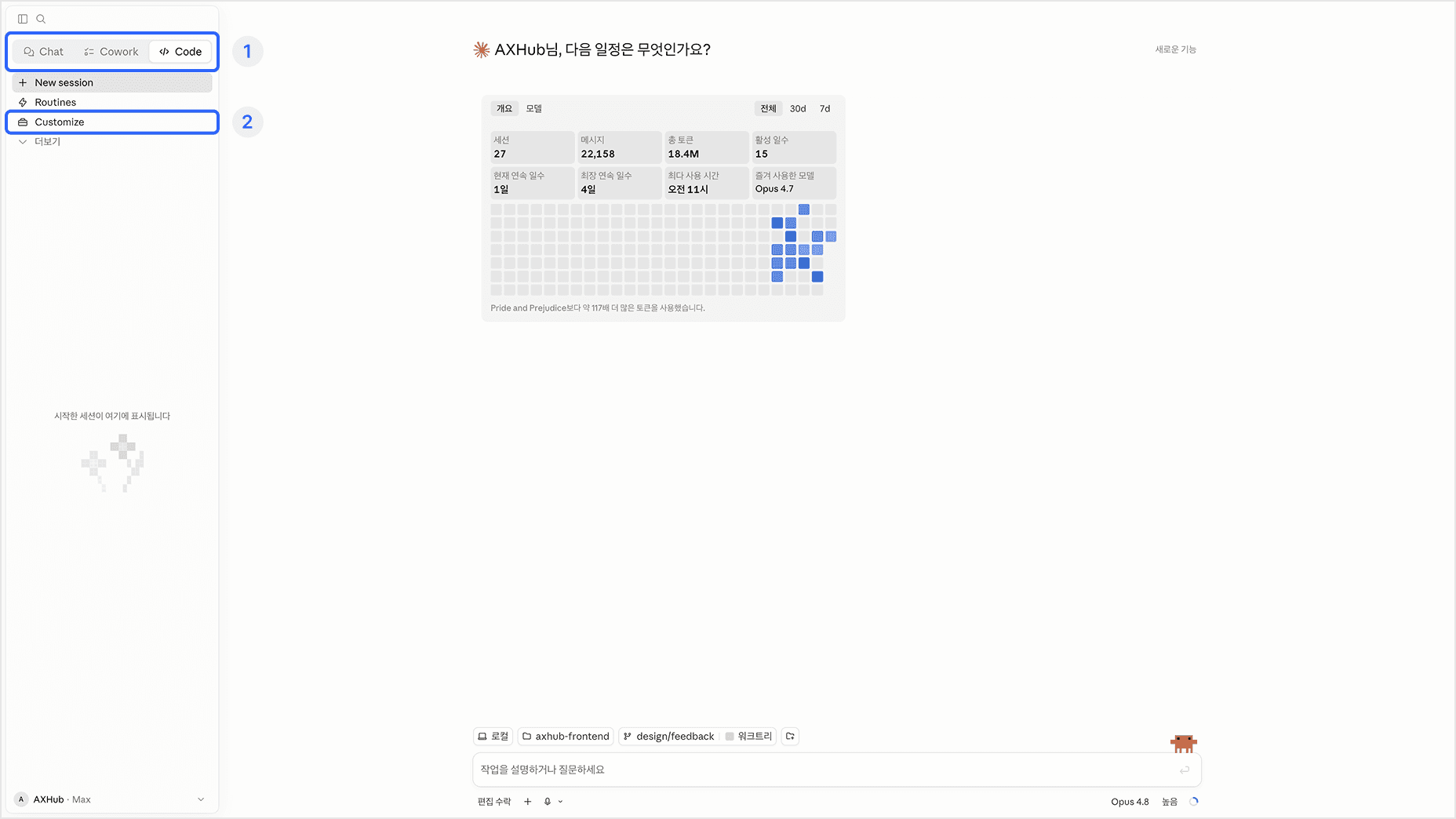
When you first open the app, the tab in the top left is set to Chat. Switch to the Code tab.
Then click Customize in the submenu.
Add the marketplace
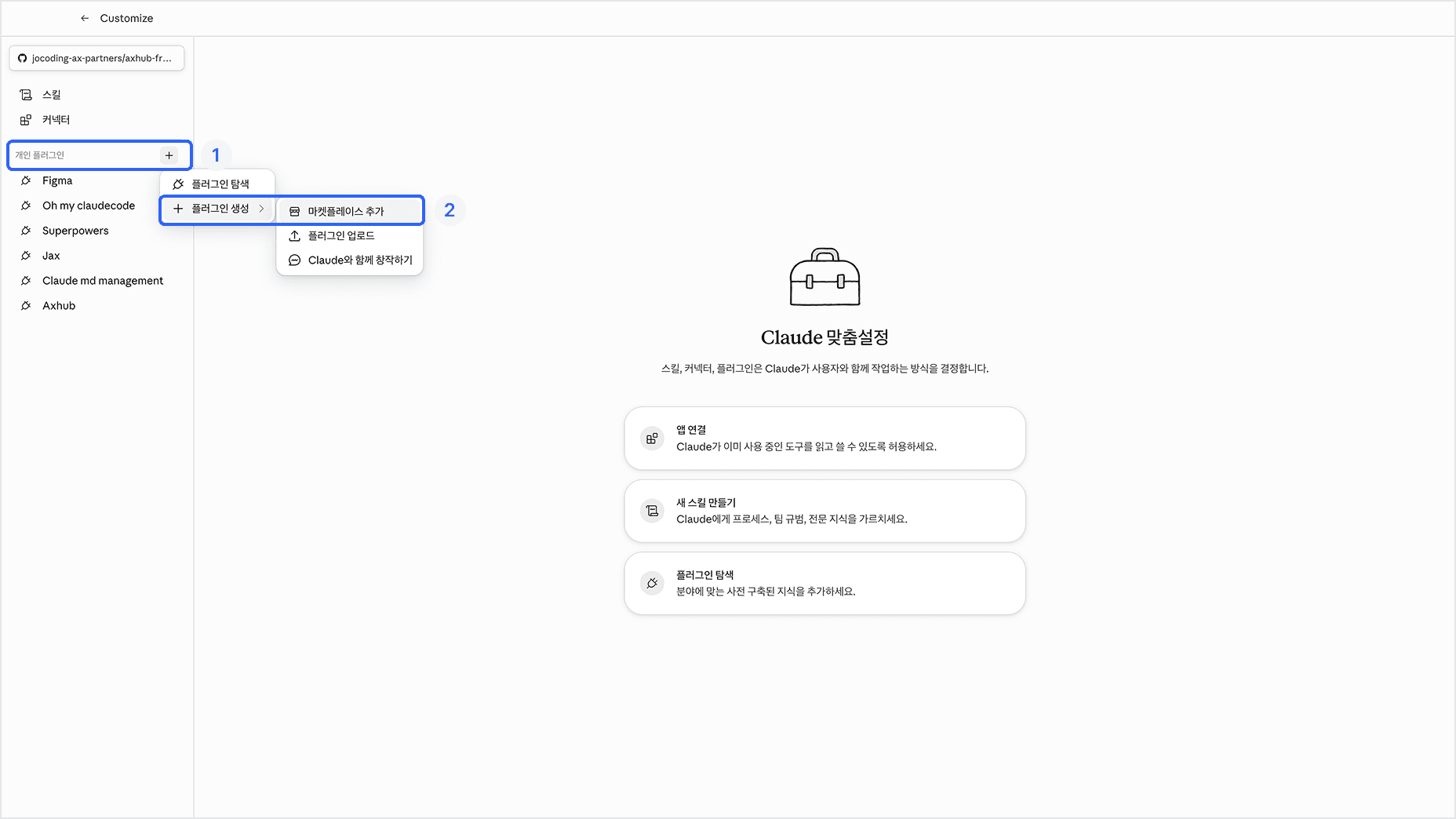
Once you're on the Customize page, click the “+” (Add plugin) button on the right of your personal plugins.
Then click Create plugin, Add marketplace in order.
In the Add marketplace modal, click Add from repository.
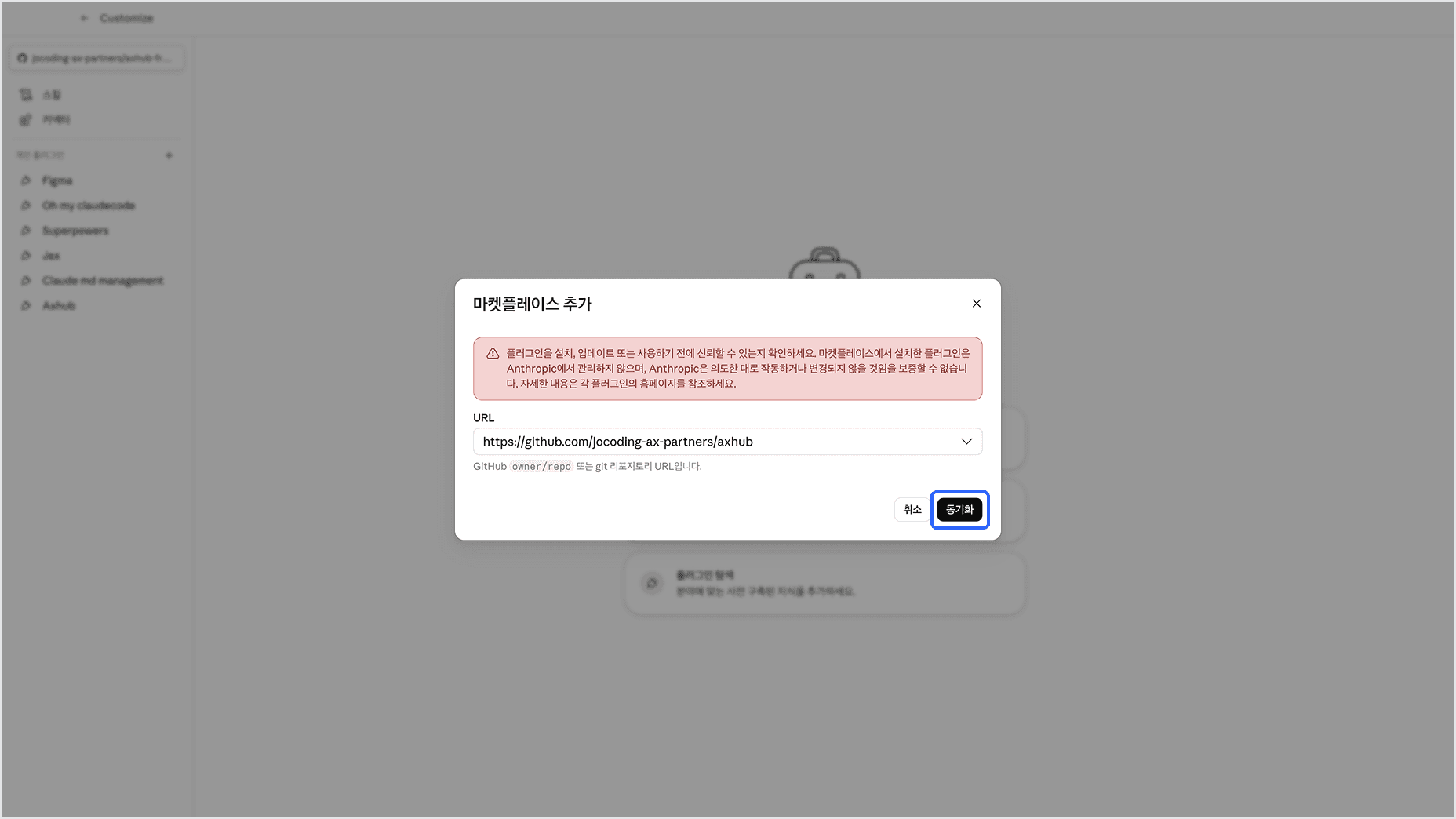
Then paste the address below into the URL field.
https://github.com/jocoding-ax-partners/axhub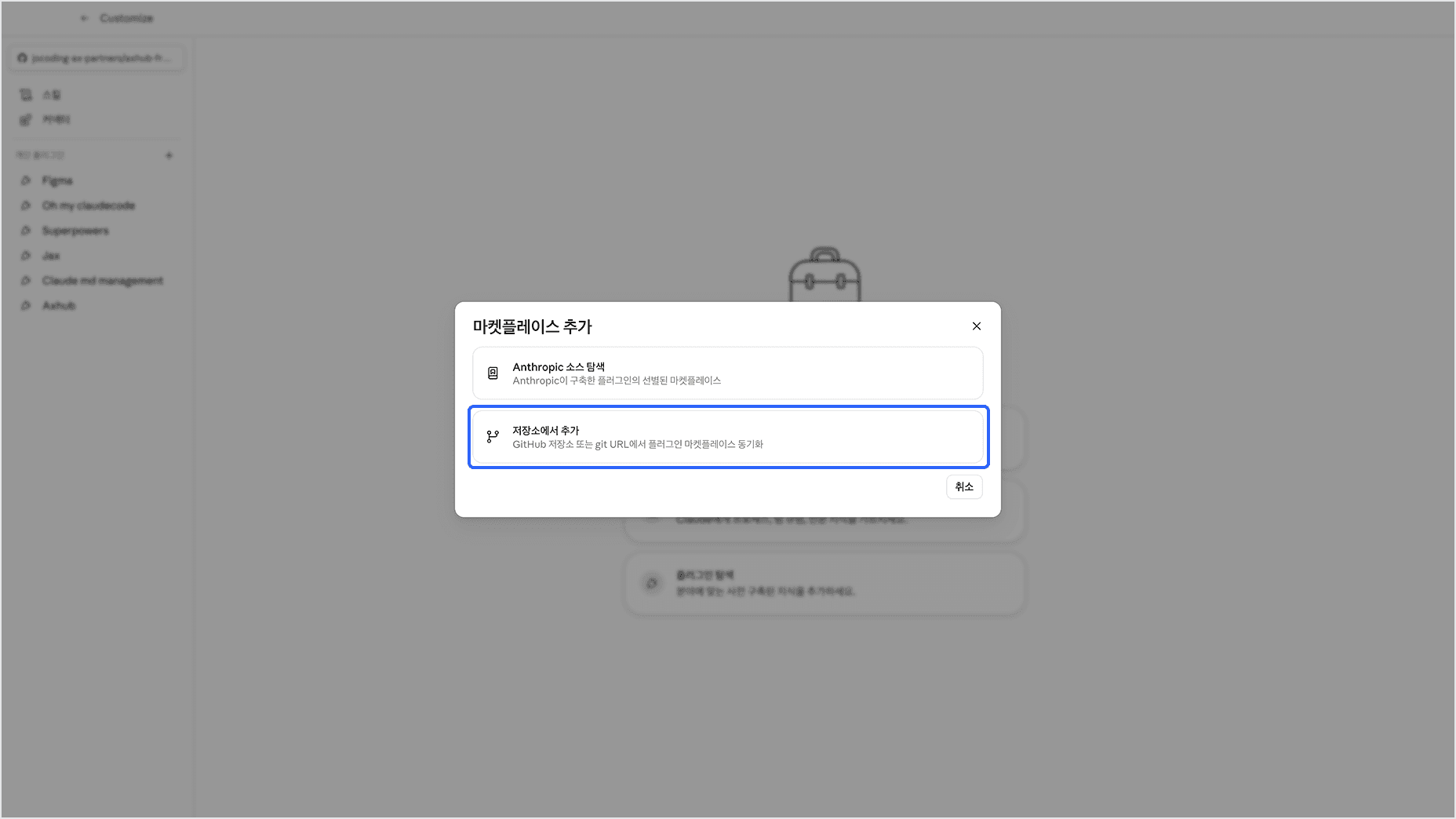
Check the URL, then press the Sync button.
Install the AXHub plugin
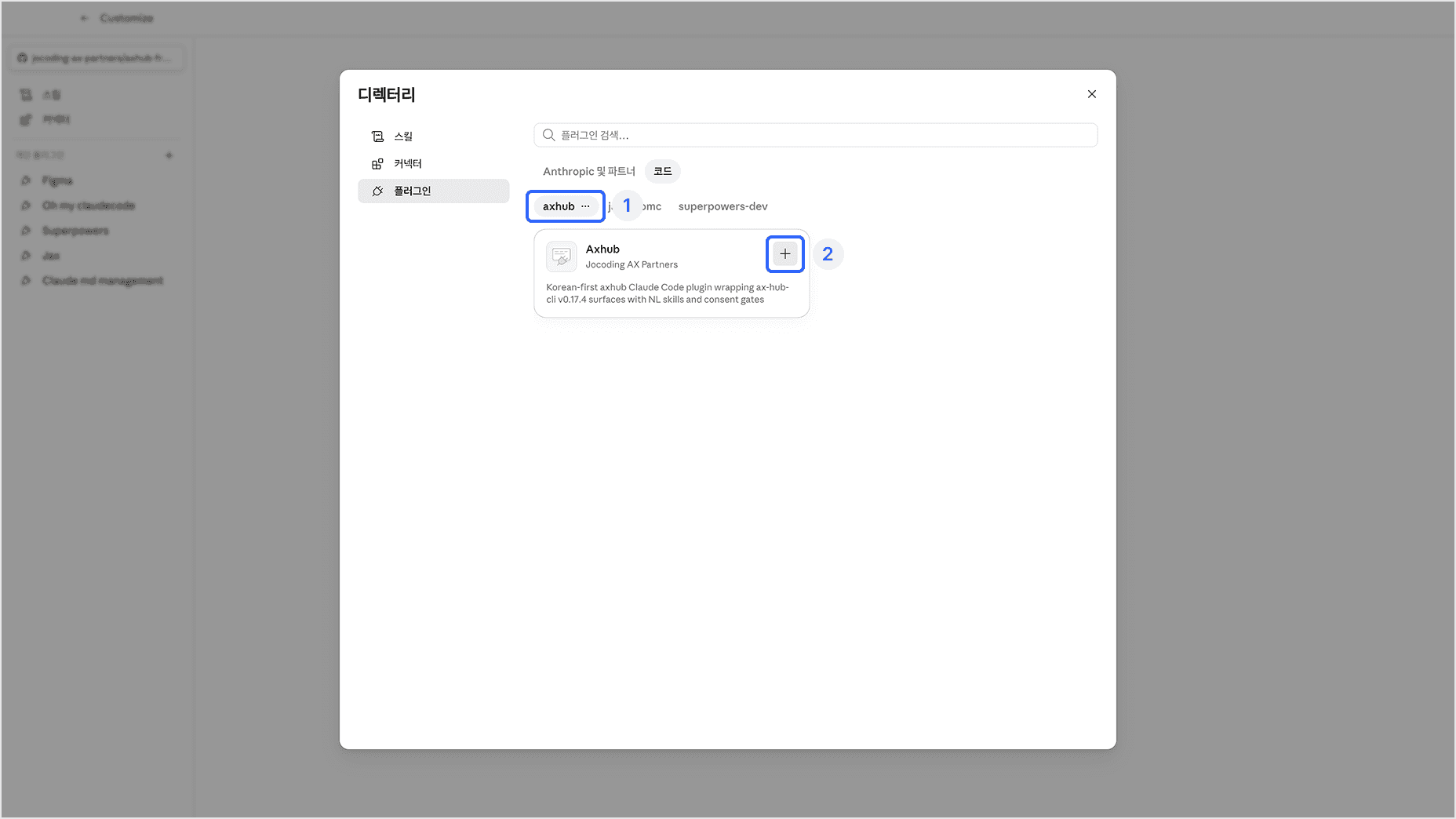
Press the “+” button and the plugin installs.
You can now find the AXHub plugin under Directory modal > Plugins > Code.
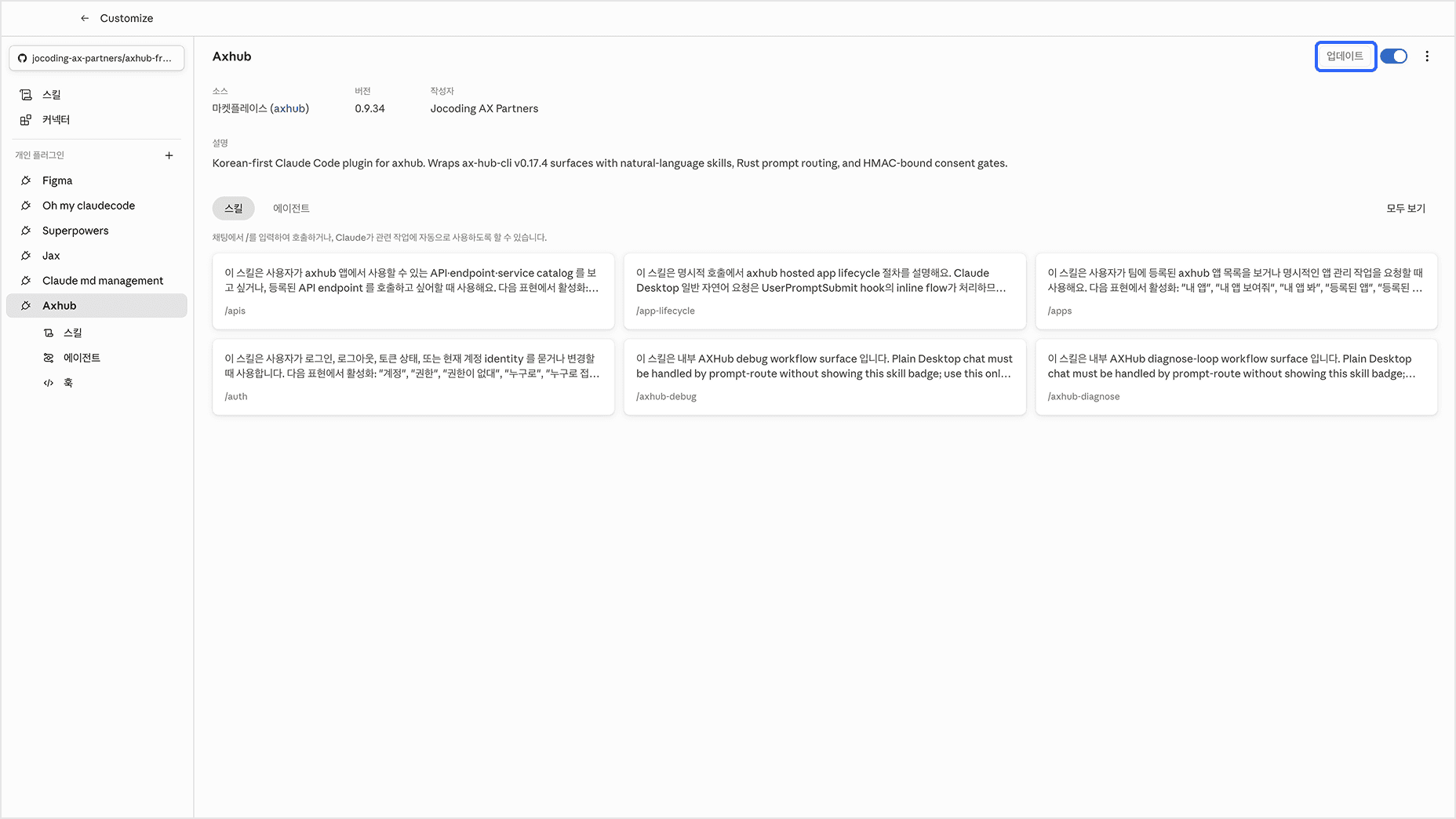
Press the “...” button to check for updates.
If the Update button is lit on the plugin page, click it to update.
Start a conversation
You're all set! In the Code tab, ask Claude to “Onboard me.”
Onboard me